
openEventsPlatformApp/plugins/cordova-plugin-x-socialsharing/README.md
plugins/cordova-plugin-x-socialsharing/README.mdRaw
1# PhoneGap Social Sharing plugin for Android, iOS and Windows Phone
2
3by [@EddyVerbruggen](http://www.twitter.com/eddyverbruggen), [read my blog about this plugin](http://www.x-services.nl/phonegap-share-plugin-facebook-twitter-social-media/754)
4
5[](https://www.paypal.com/cgi-bin/webscr?cmd=_donations&business=eddyverbruggen%40gmail%2ecom&lc=US&item_name=cordova%2dplugin%2dsocialsharing¤cy_code=USD&bn=PP%2dDonationsBF%3abtn_donate_SM%2egif%3aNonHosted)
6Every now and then kind folks ask me how they can give me all their money. So if you want to contribute to my pension fund, then please go ahead :)
7
8<table width="100%">
9 <tr>
10 <td width="100"><a href="http://plugins.telerik.com/plugin/socialsharing"><img src="http://www.x-services.nl/github-images/telerik-verified-plugins-marketplace.png" width="97px" height="71px" alt="Marketplace logo"/></a></td>
11 <td>For a quick demo app and easy code samples, check out the plugin page at the Verified Plugins Marketplace: http://plugins.telerik.com/plugin/socialsharing</td>
12 </tr>
13</table>
14
15## 0. Index
16
171. [Description](#1-description)
182. [Screenshots](#2-screenshots)
193. [Installation](#3-installation)
20 3. [Automatically (CLI / Plugman)](#automatically-cli--plugman)
21 3. [Manually](#manually)
22 3. [PhoneGap Build](#phonegap-build)
234. Usage
24 4. [iOS and Android](#4a-usage-on-ios-and-android)
25 4. [Windows Phone](#4b-usage-on-windows-phone)
26 4. [Share-popover on iPad](#4c-share-popover-on-ipad)
27 4. [Whitelisting on iOS 9](#4d-whitelisting-on-ios-9)
285. [Credits](#5-credits)
296. [License](#6-license)
30
31## 1. Description
32
33This plugin allows you to use the native sharing window of your mobile device.
34
35* Works on Android, version 2.3.3 and higher (probably 2.2 as well).
36* Works on iOS6 and up.
37* Works on Windows Phone 8 since v4.0 of this plugin (maybe even WP7, but I have no such testdevice).
38* Share text, a link, a images (or other files like pdf or ics). Subject is also supported, when the receiving app supports it.
39* Supports sharing files from the internet, the local filesystem, or from the www folder.
40* You can skip the sharing dialog and directly share to Twitter, Facebook, or other apps.
41* Compatible with [Cordova Plugman](https://github.com/apache/cordova-plugman).
42* Officially supported by [PhoneGap Build](https://build.phonegap.com/plugins).
43
44## 2. Screenshots
45iOS 7 (iPhone)
46
47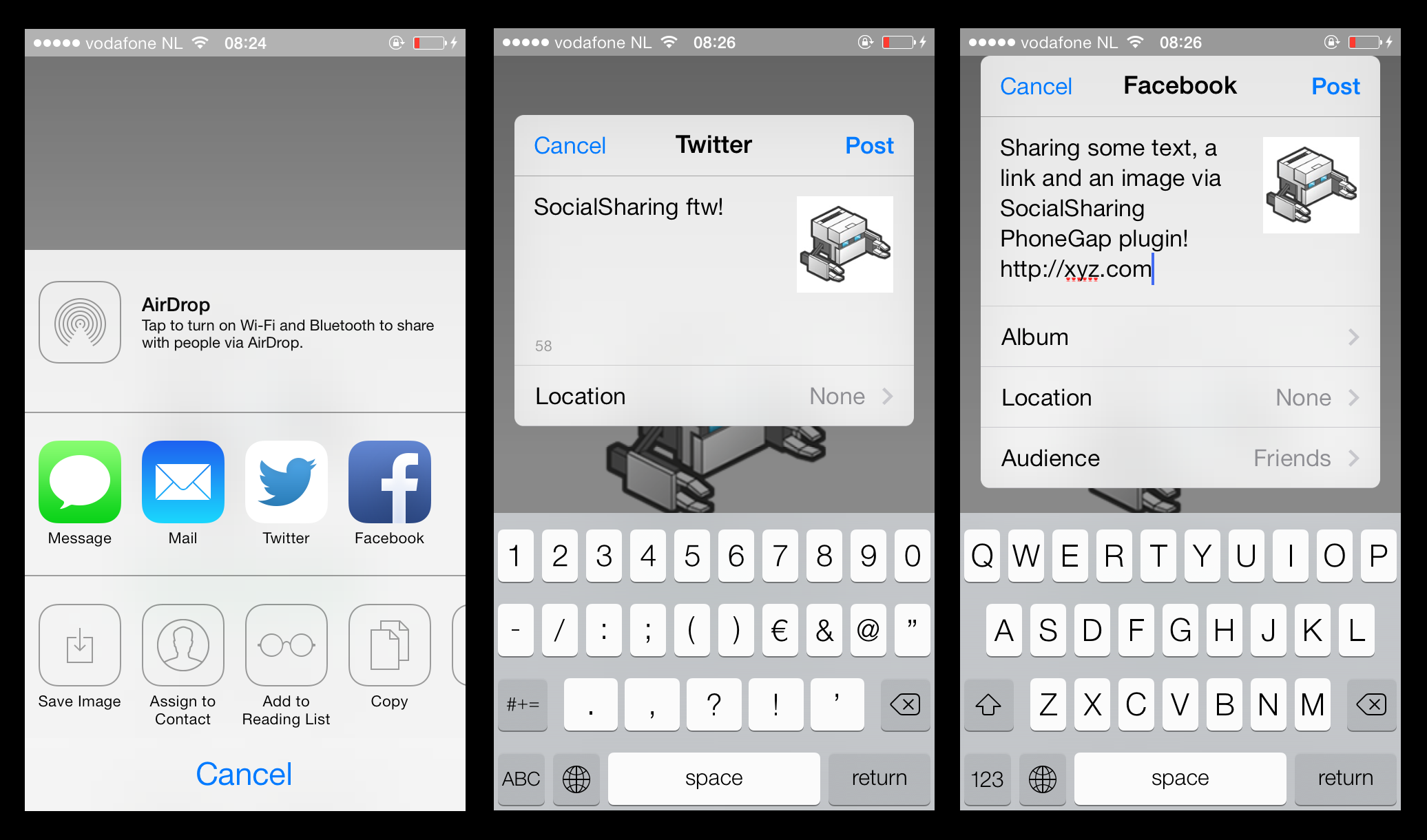
48
49Sharing options are based on what has been setup in the device settings
50
51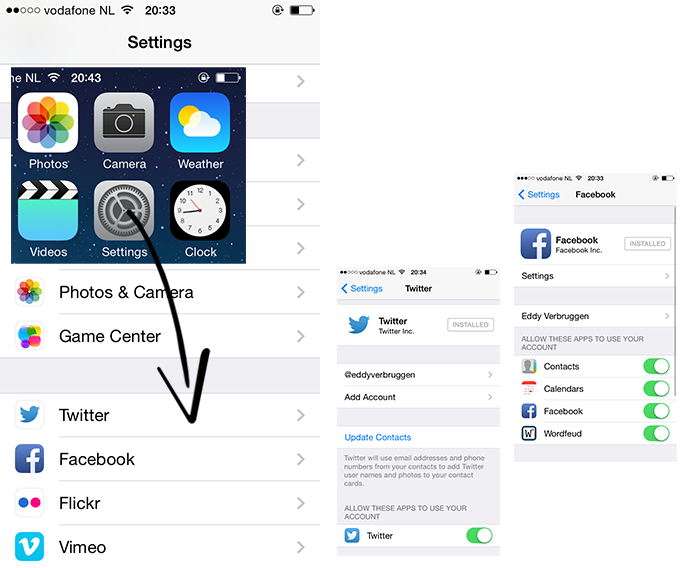
52
53iOS 7 (iPad) - a popup like this requires [a little more effort](#4c-share-popover-on-ipad)
54
55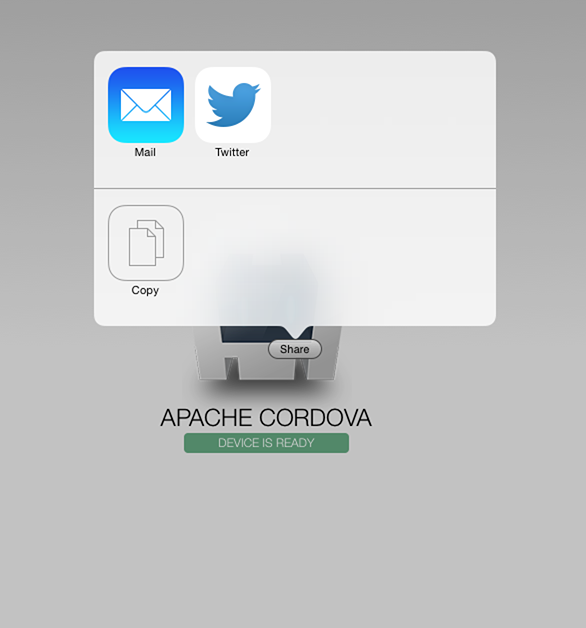
56
57iOS 6 (iPhone)
58
59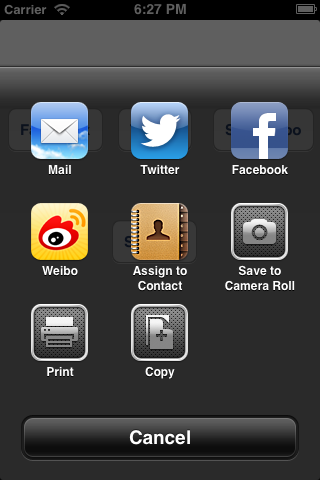
60
61Android
62
63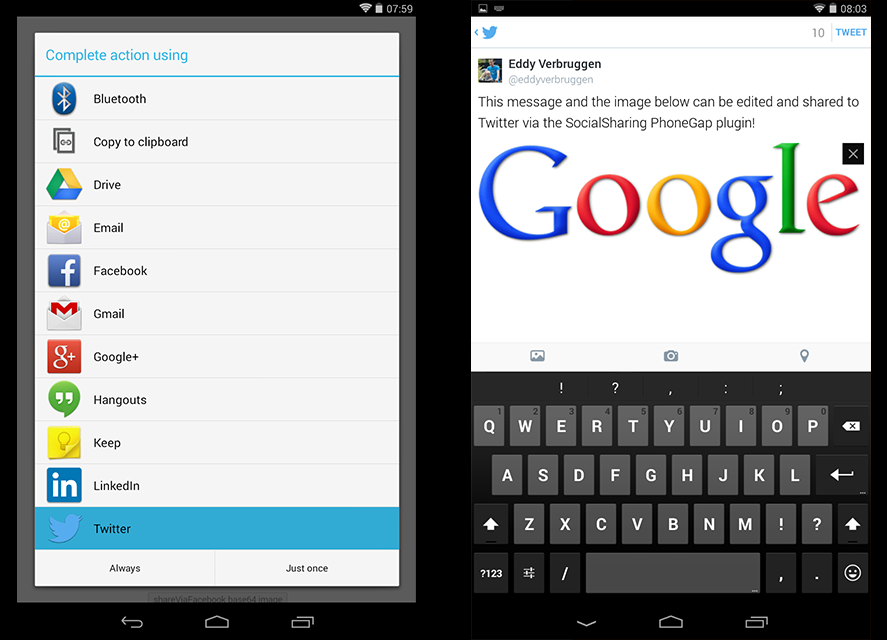
64
65Windows Phone 8
66
67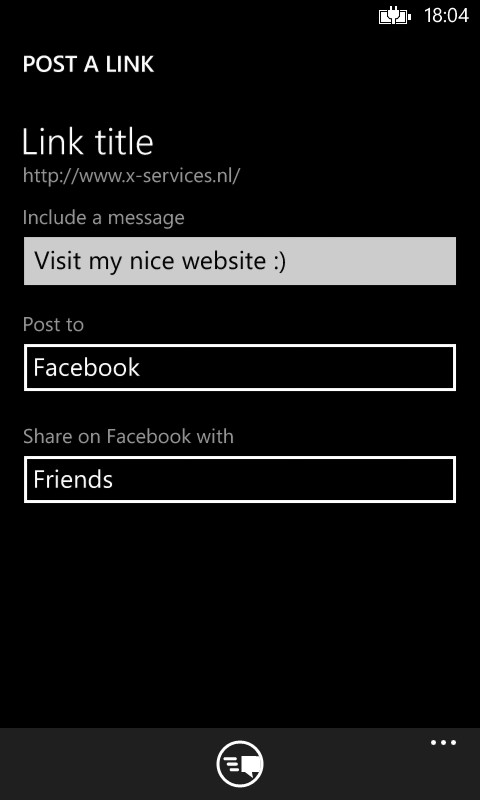
68
69#### Alternative ShareSheet (iOS only, using the [Cordova ActionSheet plugin](https://github.com/EddyVerbruggen/cordova-plugin-actionsheet))
70
71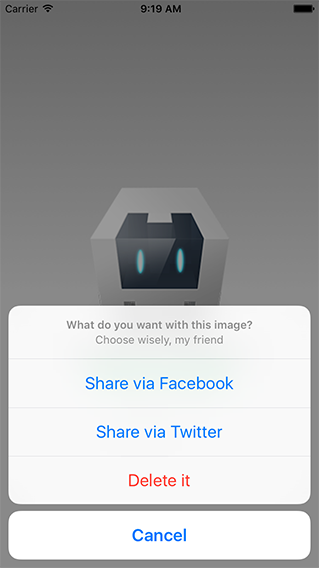
72
73## 3. Installation
74
75### Automatically (CLI / Plugman)
76SocialSharing is compatible with [Cordova Plugman](https://github.com/apache/cordova-plugman), compatible with [PhoneGap 3.0 CLI](http://docs.phonegap.com/en/3.0.0/guide_cli_index.md.html#The%20Command-line%20Interface_add_features), here's how it works with the CLI:
77
78```
79$ phonegap local plugin add https://github.com/EddyVerbruggen/SocialSharing-PhoneGap-Plugin.git
80```
81
82or with Cordova CLI, from npm:
83```
84$ cordova plugin add cordova-plugin-x-socialsharing
85$ cordova prepare
86```
87
88SocialSharing.js is brought in automatically. There is no need to change or add anything in your html.
89
90### Manually
91
921\. Add the following xml to all the `config.xml` files you can find:
93```xml
94<!-- for iOS -->
95<feature name="SocialSharing">
96 <param name="ios-package" value="SocialSharing" />
97</feature>
98```
99```xml
100<!-- for Android (you will find one in res/xml) -->
101<feature name="SocialSharing">
102 <param name="android-package" value="nl.xservices.plugins.SocialSharing" />
103</feature>
104```
105```xml
106<!-- for Windows Phone -->
107<feature name="SocialSharing">
108 <param name="wp-package" value="SocialSharing"/>
109</feature>
110```
111
112For sharing remote images (or other files) on Android, the file needs to be stored locally first, so add this permission to `AndroidManifest.xml`:
113```xml
114<uses-permission android:name="android.permission.WRITE_EXTERNAL_STORAGE" />
115```
116
117For iOS, you'll need to add the `Social.framework` and `MessageUI.framework` to your project. Click your project, Build Phases, Link Binary With Libraries, search for and add `Social.framework` and `MessageUI.framework`.
118
1192\. Grab a copy of SocialSharing.js, add it to your project and reference it in `index.html`:
120```html
121<script type="text/javascript" src="js/SocialSharing.js"></script>
122```
123
1243\. Download the source files for iOS and/or Android and copy them to your project.
125
126iOS: Copy `SocialSharing.h` and `SocialSharing.m` to `platforms/ios/<ProjectName>/Plugins`
127
128Android: Copy `SocialSharing.java` to `platforms/android/src/nl/xservices/plugins` (create the folders)
129
130Window Phone: Copy `SocialSharing.cs` to `platforms/wp8/Plugins/nl.x-services.plugins.socialsharing` (create the folders)
131
132### PhoneGap Build
133Just add the following xml to your `config.xml` to always use the latest version of this plugin (which is published to plugins.cordova.io these days):
134```xml
135<gap:plugin name="cordova-plugin-x-socialsharing" source="npm" />
136```
137or to use an older version, hosted at phonegap build:
138```xml
139<gap:plugin name="nl.x-services.plugins.socialsharing" version="4.3.16" />
140```
141
142SocialSharing.js is brought in automatically. Make sure though you include a reference to cordova.js in your index.html's head:
143```html
144<script type="text/javascript" src="cordova.js"></script>
145```
146
147## 4a. Usage on iOS and Android
148You can share text, a subject (in case the user selects the email application), (any type and location of) file (like an image), and a link.
149However, what exactly gets shared, depends on the application the user chooses to complete the action. A few examples:
150- Mail: message, subject, file.
151- Twitter: message, image (other filetypes are not supported), link (which is automatically shortened if the Twitter client deems it necessary).
152- Google+ / Hangouts (Android only): message, subject, link
153- Flickr: message, image (an image is required for this option to show up).
154- Facebook Android: sharing a message is not possible. You can share either a link or an image (not both), but a description can not be prefilled. See [this Facebook issue which they won't solve](https://developers.facebook.com/x/bugs/332619626816423/). As an alternative you can use `shareViaFacebookWithPasteMessageHint` since plugin version 4.3.4. See below for details. Also note that sharing a URL on a non standard domain (like .fail) [may not work on Android](https://github.com/EddyVerbruggen/SocialSharing-PhoneGap-Plugin/issues/253). Make sure you test this. You can use a [link shortener](https://goo.gl) to workaround this issue.
155- Facebook iOS: message, image (other filetypes are not supported), link. Beware that since a Fb update in April 2015 sharing a prefilled message is no longer possible when the Fb app is installed (like Android), see #344. Alternative: use `shareViaFacebookWithPasteMessageHint`.
156
157### Using the share sheet
158Since version 5.1.0 (for iOS and Android) it's recommended to use `shareWithOptions` as it's the most feature rich way to share stuff cross-platform.
159
160It will also tell you if sharing to an app completed and which app that was (if that app plays nice, that is).
161
162```js
163// this is the complete list of currently supported params you can pass to the plugin (all optional)
164var options = {
165 message: 'share this', // not supported on some apps (Facebook, Instagram)
166 subject: 'the subject', // fi. for email
167 files: ['', ''], // an array of filenames either locally or remotely
168 url: 'https://www.website.com/foo/#bar?a=b',
169 chooserTitle: 'Pick an app' // Android only, you can override the default share sheet title
170}
171
172var onSuccess = function(result) {
173 console.log("Share completed? " + result.completed); // On Android apps mostly return false even while it's true
174 console.log("Shared to app: " + result.app); // On Android result.app is currently empty. On iOS it's empty when sharing is cancelled (result.completed=false)
175}
176
177var onError = function(msg) {
178 console.log("Sharing failed with message: " + msg);
179}
180
181window.plugins.socialsharing.shareWithOptions(options, onSuccess, onError);
182```
183
184#### You can still use the older `share` method as well
185Here are some examples you can copy-paste to test the various combinations:
186```html
187<button onclick="window.plugins.socialsharing.share('Message only')">message only</button>
188<button onclick="window.plugins.socialsharing.share('Message and subject', 'The subject')">message and subject</button>
189<button onclick="window.plugins.socialsharing.share(null, null, null, 'http://www.x-services.nl')">link only</button>
190<button onclick="window.plugins.socialsharing.share('Message and link', null, null, 'http://www.x-services.nl')">message and link</button>
191<button onclick="window.plugins.socialsharing.share(null, null, 'https://www.google.nl/images/srpr/logo4w.png', null)">image only</button>
192// Beware: passing a base64 file as 'data:' is not supported on Android 2.x: https://code.google.com/p/android/issues/detail?id=7901#c43
193// Hint: when sharing a base64 encoded file on Android you can set the filename by passing it as the subject (second param)
194<button onclick="window.plugins.socialsharing.share(null, 'Android filename', 'data:image/png;base64,R0lGODlhDAAMALMBAP8AAP///wAAAAAAAAAAAAAAAAAAAAAAAAAAAAAAAAAAAAAAAAAAAAAAAAAAAAAAACH5BAUKAAEALAAAAAAMAAwAQAQZMMhJK7iY4p3nlZ8XgmNlnibXdVqolmhcRQA7', null)">base64 image only</button>
195// Hint: you can share multiple files by using an array as thirds param: ['file 1','file 2', ..], but beware of this Android Kitkat Facebook issue: [#164]
196<button onclick="window.plugins.socialsharing.share('Message and image', null, 'https://www.google.nl/images/srpr/logo4w.png', null)">message and image</button>
197<button onclick="window.plugins.socialsharing.share('Message, image and link', null, 'https://www.google.nl/images/srpr/logo4w.png', 'http://www.x-services.nl')">message, image and link</button>
198<button onclick="window.plugins.socialsharing.share('Message, subject, image and link', 'The subject', 'https://www.google.nl/images/srpr/logo4w.png', 'http://www.x-services.nl')">message, subject, image and link</button>
199```
200
201Example: share a PDF file from the local www folder:
202```html
203<button onclick="window.plugins.socialsharing.share('Here is your PDF file', 'Your PDF', 'www/files/manual.pdf')">Share PDF</button>
204```
205
206### Sharing directly to..
207
208####Twitter
209```html
210<!-- unlike most apps Twitter doesn't like it when you use an array to pass multiple files as the second param -->
211<button onclick="window.plugins.socialsharing.shareViaTwitter('Message via Twitter')">message via Twitter</button>
212<button onclick="window.plugins.socialsharing.shareViaTwitter('Message and link via Twitter', null /* img */, 'http://www.x-services.nl')">msg and link via Twitter</button>
213```
214
215####Facebook
216```html
217<button onclick="window.plugins.socialsharing.shareViaFacebook('Message via Facebook', null /* img */, null /* url */, function() {console.log('share ok')}, function(errormsg){alert(errormsg)})">msg via Facebook (with errcallback)</button>
218```
219
220Facebook with prefilled message - as a workaround for [this Facebook (Android) bug](https://developers.facebook.com/x/bugs/332619626816423/). BEWARE: it's against Facebooks policy to prefil the message, or even hint the user to prefill a message for them. [See this page for details.](https://developers.facebook.com/docs/apps/review/prefill)
221
222* On Android the user will see a Toast message with a message you control (default: "If you like you can paste a message from your clipboard").
223* On iOS this function used to behave the same as `shareViaFacebook`, but since 4.3.18 a short message is shown prompting the user to paste a message (like Android). This message is not shown in case the Fb app is not installed since the internal iOS Fb share widget still supports prefilling the message.
224* iOS9 quirk: if you want to use this method, you need to whitelist `fb://` in your .plist file.
225```html
226<button onclick="window.plugins.socialsharing.shareViaFacebookWithPasteMessageHint('Message via Facebook', null /* img */, null /* url */, 'Paste it dude!', function() {console.log('share ok')}, function(errormsg){alert(errormsg)})">msg via Facebook (with errcallback)</button>
227```
228
229Whitelisting Facebook in your app's .plist:
230```xml
231<key>LSApplicationQueriesSchemes</key>
232<array>
233 <string>fb</string>
234</array>
235```
236
237####Instagram
238```html
239<button onclick="window.plugins.socialsharing.shareViaInstagram('Message via Instagram', 'https://www.google.nl/images/srpr/logo4w.png', function() {console.log('share ok')}, function(errormsg){alert(errormsg)})">msg via Instagram</button>
240```
241
242Quirks:
243* Instagram no longer permits prefilling a message - you can prompt the user to paste the message you've passed to the plugin because we're adding it to the clipboard for you.
244
245iOS Quirks:
246* Before trying to invoke `shareViaInstagram` please use `canShareVia('instagram'..` AND whitelist the urlscheme (see below).
247* Although this plugin follows the Instagram sharing guidelines, the user may not only see Instagram in the share sheet, but also other apps that listen to the "Instagram sharing ID". Just google "com.instagram.exclusivegram" and you see what I mean.
248
249
250#### WhatsApp
251* Note that on iOS when sharing an image and text, only the image is shared - let's hope WhatsApp creates a proper iOS extension to fix this.
252* Before using this method you may want to use `canShareVia('whatsapp'..` (see below).
253```html
254<button onclick="window.plugins.socialsharing.shareViaWhatsApp('Message via WhatsApp', null /* img */, null /* url */, function() {console.log('share ok')}, function(errormsg){alert(errormsg)})">msg via WhatsApp (with errcallback)</button>
255```
256
257##### Experimental feature: sharing directly to someone
258Available in 5.0.8 and up - please let me know if this works for your device! Open an issue if not..
259
260```html
261<button onclick="window.plugins.socialsharing.shareViaWhatsAppToReceiver(receiver, 'Message via WhatsApp', null /* img */, null /* url */, function() {console.log('share ok')})">msg via WhatsApp for Addressbook ID 101</button>
262```
263For `receiver` on iOS pass in the Addressbook ID (or 'abid'). You can find those abid's by using the [Cordova Contacts Plugin](https://github.com/apache/cordova-plugin-contacts).
264The result in the success callback of the `find` function is a JSON array of contact objects, use the 'id' you find in those objects.
265Don't pass in an image on iOS because that can't be sent to someone directly unfortunately. Message and URL are fine though.
266
267On Android pass in the phone number of the person you want to send a message to (untested at the moment).
268
269####SMS
270Note that on Android, SMS via Hangouts may not behave correctly
271```html
272<!-- Want to share a prefilled SMS text? -->
273<button onclick="window.plugins.socialsharing.shareViaSMS('My cool message', null /* see the note below */, function(msg) {console.log('ok: ' + msg)}, function(msg) {alert('error: ' + msg)})">share via SMS</button>
274<!-- Want to prefill some phonenumbers as well? Pass this instead of null. Important notes: For stable usage of shareViaSMS on Android 4.4 and up you require to add at least one phonenumber! Also, on Android make sure you use v4.0.3 or higher of this plugin, otherwise sharing multiple numbers to non-Samsung devices will fail -->
275<button onclick="window.plugins.socialsharing.shareViaSMS('My cool message', '0612345678,0687654321', function(msg) {console.log('ok: ' + msg)}, function(msg) {alert('error: ' + msg)})">share via SMS</button>
276<!-- Need a subject and even image sharing? It's only supported on iOS for now and falls back to just message sharing on Android -->
277<button onclick="window.plugins.socialsharing.shareViaSMS({'message':'My cool message', 'subject':'The subject', 'image':'https://www.google.nl/images/srpr/logo4w.png'}, '0612345678,0687654321', function(msg) {console.log('ok: ' + msg)}, function(msg) {alert('error: ' + msg)})">share via SMS</button>
278```
279
280####Email
281Code inspired by the [EmailComposer plugin](https://github.com/katzer/cordova-plugin-email-composer), note that this is not supported on the iOS 8 simulator (an alert will be shown if your try to).
282```js
283window.plugins.socialsharing.shareViaEmail(
284 'Message', // can contain HTML tags, but support on Android is rather limited: http://stackoverflow.com/questions/15136480/how-to-send-html-content-with-image-through-android-default-email-client
285 'Subject',
286 ['to@person1.com', 'to@person2.com'], // TO: must be null or an array
287 ['cc@person1.com'], // CC: must be null or an array
288 null, // BCC: must be null or an array
289 ['https://www.google.nl/images/srpr/logo4w.png','www/localimage.png'], // FILES: can be null, a string, or an array
290 onSuccess, // called when sharing worked, but also when the user cancelled sharing via email. On iOS, the callbacks' boolean result parameter is true when sharing worked, false if cancelled. On Android, this parameter is always true so it can't be used). See section "Notes about the successCallback" below.
291 onError // called when sh*t hits the fan
292);
293```
294
295If Facebook, Twitter, Instagram, WhatsApp, SMS or Email is not available, the errorCallback is called with the text 'not available'.
296
297If you feel lucky, you can even try to start any application with the `shareVia` function:
298```html
299<!-- start facebook on iOS (same as `shareViaFacebook`), if Facebook is not installed, the errorcallback will be invoked with message 'not available' -->
300<button onclick="window.plugins.socialsharing.shareVia('com.apple.social.facebook', 'Message via FB', null, null, null, function(){console.log('share ok')}, function(msg) {alert('error: ' + msg)})">message via Facebook</button>
301<!-- start facebook on Android (same as `shareViaFacebook`), if Facebook is not installed, the errorcallback will be invoked with message 'not available' -->
302<button onclick="window.plugins.socialsharing.shareVia('facebook', 'Message via FB', null, null, null, function(){console.log('share ok')}, function(msg) {alert('error: ' + msg)})">message via Facebook</button>
303<!-- start twitter on iOS (same as `shareViaTwitter`), if Twitter is not installed, the errorcallback will be invoked with message 'not available' -->
304<button onclick="window.plugins.socialsharing.shareVia('com.apple.social.twitter', 'Message via Twitter', null, null, 'http://www.x-services.nl', function(){console.log('share ok')}, function(msg) {alert('error: ' + msg)})">message and link via Twitter on iOS</button>
305<!-- if you share to a non existing/supported app, the errorcallback will be invoked with message 'not available' -->
306<button onclick="window.plugins.socialsharing.shareVia('bogus_app', 'Message via Bogus App', null, null, null, function(){console.log('share ok')}, function(msg) {alert('error: ' + msg)})">message via Bogus App</button>
307```
308
309What can we pass to the `shareVia` function?
310* iOS: You are limited to 'com.apple.social.[facebook | twitter | sinaweibo | tencentweibo]'. If an app does not exist, the errorcallback is invoked and iOS shows a popup message asking the user to configure the app.
311* Android: Anything that would otherwise appear in the sharing dialoge (in case the `share` function was used. Pass a (part of the) packagename of the app you want to share to. The `shareViaFacebook` function for instance uses `com.facebook.katana` as the packagename fragment. Things like `weibo`, `pinterest` and `com.google.android.apps.plus` (Google+) should work just fine.
312
313You can even test if a sharing option is available with `canShareVia`!
314You'll need to pass everything you want to share, because (at least on Android) some apps may only become available when an image is added.
315The function will invoke the successCallback when it can be shared to via `shareVia`, and the errorCallback if not. As a bonus on Android, the errorCallback contains a JSON Array of available packages you can pass to shareVia.
316You can even specify the activity if the app offers multiple sharing ways, passing 'packageName/activityName'. (for example, WeChat, passing 'com.tencent.mm' or 'com.tencent.mm/com.tencent.mm.ui.tools.ShareImgUI' to share to chat, passing 'com.tencent.mm/com.tencent.mm.ui.tools.ShareToTimeLineUI' to share to moments).
317
318```html
319<button onclick="window.plugins.socialsharing.canShareVia('com.tencent.mm/com.tencent.mm.ui.tools.ShareToTimeLineUI', 'msg', null, img, null, function(e){alert(e)}, function(e){alert(e)})">is WeChat available on Android?</button>
320<button onclick="window.plugins.socialsharing.canShareVia('com.apple.social.facebook', 'msg', null, null, null, function(e){alert(e)}, function(e){alert(e)})">is facebook available on iOS?</button>
321// this one requires whitelisting of whatsapp:// on iOS9 in your .plist file
322<button onclick="window.plugins.socialsharing.canShareVia('whatsapp', 'msg', null, null, null, function(e){alert(e)}, function(e){alert(e)})">is WhatsApp available?</button>
323<button onclick="window.plugins.socialsharing.canShareVia('sms', 'msg', null, null, null, function(e){alert(e)}, function(e){alert(e)})">is SMS available?</button>
324<button onclick="window.plugins.socialsharing.canShareVia('instagram', 'msg', null, null, null, function(e){alert(e)}, function(e){alert(e)})">is Instagram available?</button>
325<!-- Email is a different beast, so I added a specific method for it -->
326<button onclick="window.plugins.socialsharing.canShareViaEmail(function(e){alert(e)}, function(e){alert(e)})">is Email available?</button>
327```
328
329Want to share images from a local folder (like an image you just selected from the CameraRoll)?
330```javascript
331// use a local image from inside the www folder:
332window.plugins.socialsharing.share(null, null, 'www/image.gif', null); // success/error callback params may be added as 5th and 6th param
333// .. or a local image from anywhere else (if permitted):
334// local-iOS:
335window.plugins.socialsharing.share(null, null, '/Users/username/Library/Application Support/iPhone/6.1/Applications/25A1E7CF-079F-438D-823B-55C6F8CD2DC0/Documents/.nl.x-services.appname/pics/img.jpg');
336// local-iOS-alt:
337window.plugins.socialsharing.share(null, null, 'file:///Users/username/Library/Application Support/iPhone/6.1/Applications/25A1E7CF-079F-438D-823B-55C6F8CD2DC0/Documents/.nl.x-services.appname/pics/img.jpg');
338// local-Android:
339window.plugins.socialsharing.share(null, null, 'file:///storage/emulated/0/nl.xservices.testapp/5359/Photos/16832/Thumb.jpg');
340// .. or an image from the internet:
341window.plugins.socialsharing.share(null, null, 'http://domain.com/image.jpg');
342```
343
344If your app still supports iOS5, you'll want to check whether or not the plugin is available as it only supports iOS6 and up.
345```javascript
346window.plugins.socialsharing.available(function(isAvailable) {
347 // the boolean is only false on iOS < 6
348 if (isAvailable) {
349 // now use any of the share() functions
350 }
351});
352```
353
354If you can't get the plugin to work, have a look at [this demo project](https://github.com/EddyVerbruggen/X-Services-PhoneGap-Build-Plugins-Demo).
355
356#### Notes about the successCallback (you can just ignore the callbacks if you like)
357Since version 3.8 the plugin passes a boolean to the successCallback to let the app know whether or not content was actually shared, or the share widget was closed by the user.
358On iOS this works as expected (except for Facebook, in case the app is installed), but on Android some sharing targets may return false, even though sharing succeeded. This is not a limitation of the plugin, it's the target app which doesn't play nice.
359To make it more confusing, when sharing via SMS on Android, you'll likely always have the successCallback invoked. Thanks Google.
360
361#### Sharing multiple images (or other files)
362Since version 4.3.0 of this plugin you can pass an array of files to the share and shareVia functions.
363```js
364// sharing multiple images via Facebook (you can mix protocols and file locations)
365window.plugins.socialsharing.shareViaFacebook(
366 'Optional message, may be ignored by Facebook app',
367 ['https://www.google.nl/images/srpr/logo4w.png','www/image.gif'],
368 null);
369
370// sharing a PDF and an image
371window.plugins.socialsharing.share(
372 'Optional message',
373 'Optional title',
374 ['www/manual.pdf','https://www.google.nl/images/srpr/logo4w.png'],
375 'http://www.myurl.com');
376```
377
378Note that a lot of apps support sharing multiple files, but Twitter just doesn't accept more that one file.
379
380#### Saving images to the photo album (iOS only currently)
381Since version 4.3.16 of this plugin you can save an array of images to the camera roll:
382```js
383window.plugins.socialsharing.saveToPhotoAlbum(
384 ['https://www.google.nl/images/srpr/logo4w.png','www/image.gif'],
385 onSuccess, // optional success function
386 onError // optional error function
387);
388```
389
390#### iOS quirk (with camera plugin)
391When using this plugin in the callback of the Phonegap camera plugin, wrap the call to `share()` in a `setTimeout()`.
392The share widget has the same limitation as the alert dialogue [mentioned in the Phonegap documentation](http://docs.phonegap.com/en/2.9.0/cordova_camera_camera.md.html#camera.getPicture_ios_quirks).
393
394#### Excluding some options from the widget
395If you want to exclude (for example) the assign-to-contact and copy-to-pasteboard options, add this to your main plist file:
396
397```xml
398<key>SocialSharingExcludeActivities</key>
399<array>
400 <string>com.apple.UIKit.activity.AssignToContact</string>
401 <string>com.apple.UIKit.activity.CopyToPasteboard</string>
402</array>
403```
404
405Here's the list of available activities you can disable :
406
407 - com.apple.UIKit.activity.PostToFacebook
408 - com.apple.UIKit.activity.PostToTwitter
409 - com.apple.UIKit.activity.PostToFlickr
410 - com.apple.UIKit.activity.PostToWeibo
411 - com.apple.UIKit.activity.PostToVimeo
412 - com.apple.UIKit.activity.TencentWeibo
413 - com.apple.UIKit.activity.Message
414 - com.apple.UIKit.activity.Mail
415 - com.apple.UIKit.activity.Print
416 - com.apple.UIKit.activity.CopyToPasteboard
417 - com.apple.UIKit.activity.AssignToContact
418 - com.apple.UIKit.activity.SaveToCameraRoll
419 - com.apple.UIKit.activity.AddToReadingList
420 - com.apple.UIKit.activity.AirDrop
421
422
423## 4b. Usage on Windows Phone
424The available methods on WP8 are: `available`, `canShareViaEmail`, `share`, `shareViaEmail` and `shareViaSMS`.
425Currently the first two always return true, but this may change in the future in case I can find a way to truly detect the availability.
426
427The `share` function on WP8 supports two flavours: message only, or a combination of message, title and link.
428
429Beware: for now please pass null values for all non used attributes, like in the examples below.
430
431Sharing a message:
432```html
433<button onclick="window.plugins.socialsharing.share('Message only', null, null, null)">message only</button>
434```
435
436Sharing a link:
437```html
438<button onclick="window.plugins.socialsharing.share('Optional message', 'Optional title', null, 'http://www.x-services.nl')">message, title, link</button>
439```
440
441Sharing an image (only images from the internet are supported). If you pass more than one image as an array, only the first one is used:
442```html
443<button onclick="window.plugins.socialsharing.share('Optional message', 'Optional title', 'https://www.google.nl/images/srpr/logo4w.png', null)">image only</button>
444```
445
446## 4c. Share-popover on iPad
447Carlos Sola-Llonch, a user of this plugin, pointed me at an [iOS document](https://developer.apple.com/library/ios/documentation/uikit/reference/UIActivityViewController_Class/Reference/Reference.html)
448stating "On iPad, you must present the view controller in a popover. On iPhone and iPod touch, you must present it modally."
449
450He also provided me with the required code to do so (thanks!). I've adapted it a little to make sure current behaviour is
451not altered, but with a little extra effort you can use this new popover feature.
452
453The trick is overriding the function `window.plugins.socialsharing.iPadPopupCoordinates` by your own implementation
454to tell the iPad where to show the popup exactly. It need to be a string like "100,200,300,300" (left,top,width,height).
455
456You need to override this method after `deviceready` has fired.
457
458You have various options, like checking the click event on a button and determine the event.clientX and event.clientY,
459or use this code Carlos showed me to grab the coordinates of a static button somewhere on your page:
460
461```js
462window.plugins.socialsharing.iPadPopupCoordinates = function() {
463 var rect = document.getElementById('share_button').getBoundingClientRect();
464 return rect.left + "," + rect.top + "," + rect.width + "," + rect.height;
465};
466```
467
468Note that since iOS 8 this popup is the only way Apple allows you to share stuff, so this plugin has been adjusted to use this plugin as standard for iOS 8 and positions
469the popup at the bottom of the screen (seems like a logical default because that's where it previously was as well).
470You can however override this position in the same way as explained above.
471
472**Note**: when using the [WkWebView polyfill](https://github.com/Telerik-Verified-Plugins/WKWebView) the `iPadPopupCoordinates` overrides [doesn't work](https://github.com/Telerik-Verified-Plugins/WKWebView/issues/77) so you can call the alternative `setIPadPopupCoordinates` method to define the popup position just before you call the `share` method.
473
474example :
475
476```js
477var targetRect = event.targetElement.getBoundingClientRect(),
478 targetBounds = targetRect.left + ',' + targetRect.top + ',' + targetRect.width + ',' + targetRect.height;
479
480window.plugins.socialsharing.setIPadPopupCoordinates(targetBounds);
481window.plugins.socialsharing.share('Hello from iOS :)')
482```
483
484## 4d. Whitelisting on iOS 9
485
486On iOS 9 you have to make sure to whitelist the applications you want to use for sharing. Without whitelisting "query schemes", you may get the error callback invoked when calling the `canShareVia` function (and possibly the `shareVia`). You can verify this is a permissions issue by observing the output in XCode for something like:
487
488> -canOpenURL: failed for URL: "whatsapp://app" - error: "This app is not allowed to query for scheme whatsapp"
489
490You have a few options to prevent this by whitelisting the application you want to share via:
491
492### Directly editing the .plist file
493This is a stright forward approach - you just manually edit the .plist file - either from within XCode or using a text editor. You can see example entries above (e.g. xyz). While this is simple to do, the changes may be lost when rebuilding the project or tweaking the platform (e.g. upgrading) and is less recomended.
494
495### Use query schema plugin
496There is a plugin designed specifically to address query schema whitelisting. You can find the plugin and how to use it [here](https://www.npmjs.com/package/cordova-plugin-queries-schemes). In general, after installation, you can change plugin.xml file under the plugin subfolder within the plugins directory of your project to add the required schemas. Here again though, you have to edit an additional file and should take care not to overwrite it when making changes to your project.
497
498### Use Custom Config plugin
499The Custom Config plugin ([here](https://github.com/dpa99c/cordova-custom-config)) allows you to add configuration to your platforms "native" configuration files (e.g. .plist or AndroidManifest.xml) through the project's main config.xml file.
500
501To address query schema issue, after installaing the plugin you can edit the iOS platform section of your config.xml (in the project main folder) to include the required entries:
502
503```xml
504<?xml version='1.0' encoding='utf-8'?>
505<widget id="your.app.id"
506 version="0.9.1"
507 xmlns="http://www.w3.org/ns/widgets"
508 xmlns:cdv="http://cordova.apache.org/ns/1.0">
509
510 <!-- a bunch of elements like name, description etc -->
511
512 <platform name="ios">
513
514 <!-- add this entry -->
515 <config-file platform="ios" target="*-Info.plist" parent="LSApplicationQueriesSchemes">
516 <array>
517 <string>whatsapp</string>
518 <!-- add more query scheme strings -->
519 </array>
520 </config-file>
521 </platform>
522</widget>
523```
524
525The advantage with this method is that editing is done in the config.xml file which will most often be in your source control anyway and hence, changes to it will be reserved.
526
527## 5. Credits ##
528
529This plugin was enhanced for Plugman / PhoneGap Build by [Eddy Verbruggen](http://www.x-services.nl).
530The Android and Windows Phone code was entirely created by the author.
531The first iteration of the iOS code was inspired by [Cameron Lerch](https://github.com/bfcam/phonegap-ios-social-plugin).